
Online Booking
We are pleased to offer online booking for our classes!
Please follow these simple steps to book:
1. View the timetable below - the timetable will show at the bottom of this page when using a desktop browser. To view on a mobile device, click on the link below to open in a new browser:
2. Ensure you have read and agreed to our Terms and Conditions:
3. Select the class/classes you wish to attend and select 'Add Class'. Follow the steps through to Enrolment, to complete customer and student details. Discount will be applied automatically
4. Download the Customer Portal App (link below) to access your classes, invoices and more. Alternatively, go to your App store and search for:
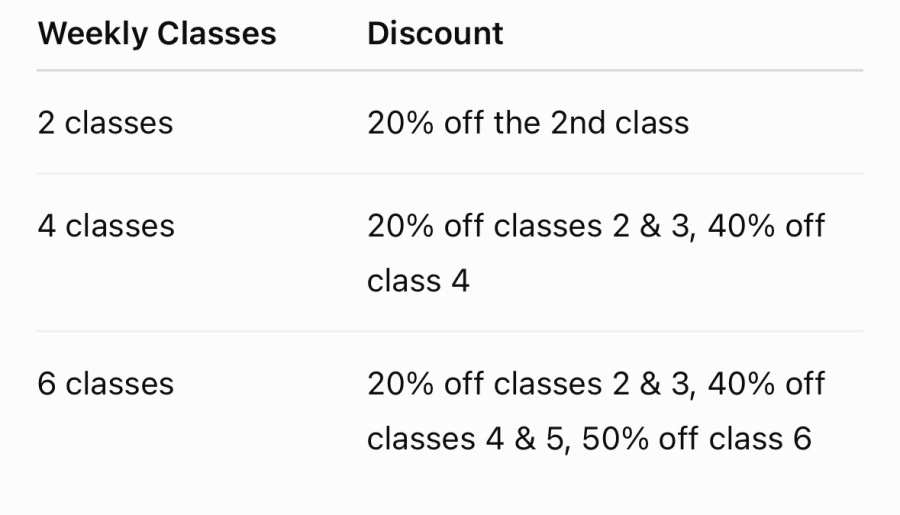
Class Discounts
We offer generous class discounts for those attending 2 or more classes! This will be added to your invoice automatically.
 Print
Print 